
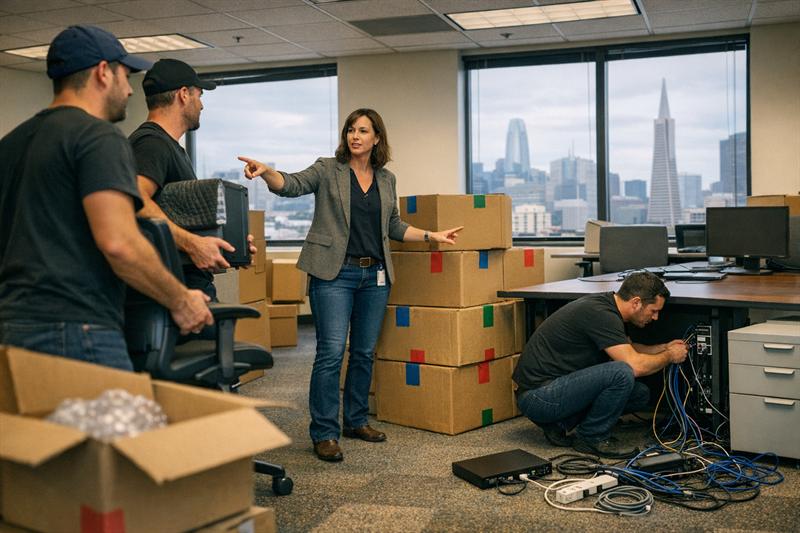
Quick Answer: Downtime during an office move usually comes from poor coordination, not the move itself. The most effective way to reduce disruption is to plan in phases, prioritize IT and critical systems early, and align every team before anything is packed.
Introduction
Most office moves do not go off track because of heavy furniture. They slow down because day-to-day operations stop working the way they should.
Phones stop routing, internet is not ready, teams lose access to tools, and work slows almost immediately. What should be a smooth transition can turn into days of disruption.
Office relocation planning is not just about moving items from one space to another. It is about keeping your business running while everything changes around it.
Why Downtime Is the Biggest Risk in Office Relocation Planning
Downtime is any period when your team cannot operate normally. That can include system outages, incomplete setups, or confusion during the transition.
During an office move, it often shows up as:
- Employees unable to access files or systems
- Missed calls or delayed client responses
- Teams waiting on setup instead of working
One of the biggest mistakes is underestimating how long it takes to get fully operational again. The physical move may take a day, but disruption lasts longer when systems are not ready. That is when productivity drops and recovery takes longer than expected.
The 3 Phases of Strategic Office Relocation Planning
Many problems happen when the move is treated as one event. In practice, office relocation works better when it is broken into phases with clear sequencing.
Pre-Move Planning (6-12 Weeks Out)
This phase sets the foundation for everything that follows.
- Assign a single internal coordinator to manage decisions
- Audit equipment, vendors, and operational systems
- Confirm building requirements such as elevator access and loading restrictions
- Create a clear communication plan for employees
One detail that gets missed is ownership. When no one is clearly responsible for the process, decisions slow down and smaller issues are easier to overlook.
Physical preparation matters too. Proper packing can reduce setup delays later. See how to pack fragile items safely for guidance on protecting delicate office equipment and breakables.
Move Execution (Moving Week)
This phase is where planning gets tested.
- Use a phased or staggered move instead of shutting everything down at once
- Label items clearly by team, department, or destination
- Coordinate movers with IT setup in real time
- Leave room in the schedule for adjustments
Problems usually escalate when timing is off. A common issue is equipment arriving before systems are ready, which delays setup and slows teams right away.
Working with experienced office movers can help align logistics with operational needs so the transition stays organized.
Post-Move Stabilization
The move is not complete when everything is delivered.
- Test all systems and connections right away
- Adjust layouts based on how teams actually work
- Identify gaps in access or workflow
- Support employees as they settle into the new space
This is often when hidden disruption appears. Systems may look ready but fall short under normal use. If those issues are not addressed quickly, productivity can stall across the team.
Building an Office Relocation Timeline That Works
A timeline only works when it reflects how tasks depend on each other.
One of the most common mistakes is treating every step as equal. In reality, certain tasks need to happen first:
- Internet and network setup before employees arrive
- IT infrastructure before workstations are used
- Access and security systems before full operations begin
Delays usually start when those dependencies are ignored. If one step runs late, everything behind it slows down. Without clear sequencing, downtime can stretch even if the move itself stays on schedule.
Critical Systems to Plan First (Before Packing Anything)
Moves become disruptive when critical systems are treated as an afterthought. They should be planned before the physical move begins.
IT and Network Infrastructure
Internet and network setup often take longer than expected. One common issue is scheduling installation too close to the move date.
- Schedule internet and network setup early
- Plan data and server transitions carefully
- Handle and transport hardware with proper protection
If IT is not ready, normal operations are harder to maintain. That is often where downtime starts.
Communications and Customer Access
Phone systems, email access, and customer-facing communication channels should stay consistent during the move.
When communication systems are delayed, response times slip and internal coordination gets harder.
Internal Operations
Internal systems such as payroll, HR tools, and shared platforms need to be accessible as soon as teams are back online.
If employees cannot log in or access the tools they need, work slows down across departments.
How to Coordinate Teams Without Disrupting Productivity
Office moves involve multiple teams working on different timelines. Without coordination, gaps show up quickly.
- Align IT, HR, leadership, and movers early
- Communicate clear expectations and schedules
- Use phased transitions or temporary remote work where needed
Teams rarely move at the same pace. Without a shared plan, disconnects build and disruption increases.
Common Mistakes That Cause Costly Downtime
- Underestimating IT setup time
- Weak labeling or disorganized inventory
- Ignoring building restrictions or scheduling limits
- No backup plan when delays happen
Another common mistake is assuming everything will go exactly as planned. Small issues are normal during a move. Without preparation, those smaller issues can turn into larger disruptions.
For location-specific challenges, see top mistakes to avoid when moving in the Bay Area.
How Professional Commercial Movers Reduce Business Disruption
Professional movers do more than transport furniture and boxes. They can help manage the flow of the move so operations are affected as little as possible.
This typically includes:
- Working within building rules and schedules
- Managing access points and loading logistics
- Coordinating timing with internal teams
- Keeping packing, transport, and setup organized
Local experience can also make a difference. In the Bay Area, traffic patterns, building access, and scheduling constraints can add complexity that needs to be planned for.
If your move involves tight timelines, multiple departments, or critical systems, pay close attention to these pressure points:
- IT setup is scheduled too late
- Teams are not aligned on timing
- Building access is limited or delayed
- No phased approach is in place
If any of these apply, the move usually needs structured coordination rather than a basic moving plan.
Office Relocation Planning Checklist
- Assign a dedicated move coordinator
- Audit equipment, systems, and vendors
- Schedule IT and internet setup early
- Confirm building access and logistics
- Communicate plans clearly to employees
- Label and organize all items
- Plan a phased move approach
- Test systems immediately after setup
- Adjust and stabilize operations quickly
For a broader planning timeline, see this complete moving checklist.
Key Takeaways
- Office relocation planning is about maintaining operations, not just moving items
- Downtime starts when systems and teams are not aligned
- Phased planning helps reduce disruption
- Many delays come from weak sequencing and coordination
- Experienced movers can help keep the process organized
Conclusion
Office moves become disruptive when planning focuses only on the physical relocation. The bigger challenge is downtime, because once operations slow down, productivity, communication, and daily workflows are all affected.
Most problems develop when systems are not ready, teams are out of sync, and delays begin to build on each other.
The practical next step is to treat the move as a coordinated operation. That means building a realistic timeline, prioritizing systems early, and working with a team that can keep the process organized from start to finish.
Quantum Moving works with businesses across the Bay Area to plan and execute office moves with minimal disruption. If your move involves multiple teams, tight timelines, or critical systems, putting experienced coordination in place early can make the transition far more manageable.
Frequently Asked Questions
How far in advance should you start office relocation planning?
Most office moves benefit from starting 6-12 weeks in advance. That gives your team time to coordinate IT, vendors, employees, and building logistics. When planning starts late, scheduling conflicts and delays are harder to avoid.
What is the biggest risk during an office move?
The biggest risk is operational downtime. When systems, access, or teams are not ready, work slows down or stops. That disruption can continue after the physical move is finished.
How do you move an office without downtime?
The best way to reduce downtime is to plan in phases, prioritize systems first, and coordinate teams early. While some disruption is common, this approach helps keep it shorter and more manageable.
What should be included in an office relocation checklist?
A strong checklist should cover planning, IT setup, logistics coordination, communication, and post-move adjustments. Missing any of those steps can create gaps that delay operations.
How long does an office move typically take?
The physical move may take a day or several days, while planning and stabilization often take several weeks. The exact timeline depends on the size of the office, the number of employees, and the complexity of your systems.
Do businesses need professional movers for office relocation?
Professional movers are not always required, but they can make coordination, timing, and logistics easier to manage. For larger or time-sensitive moves, that usually leads to a smoother transition.